
Where to find project documents and Statements of Work
Open Documents, find the project reference library, and follow the terms shown in each project document.
Use Documents to find project documents connected to your OneForma account. A Statement of Work (SOW) explains terms for a specific project, so review the document itself before taking action.
Open Documents
- Sign in to your OneForma account.
- Select Documents from the main navigation.
- Review the Project Secured Documents Reference Library.
- Use the project selector when documents are available for more than one project.
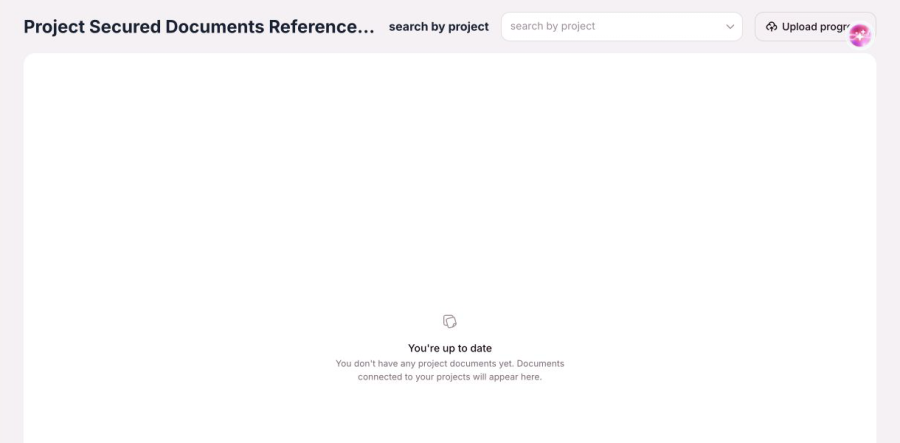
When no document is available
The empty state says You’re up to date and explains that documents connected to your projects will appear on this page. If you expected a document, confirm that you are using the correct account and project.
Review a Statement of Work
Read the complete document, including its scope, timing, quality expectations, payment terms, privacy requirements, and any action requested. Project documents can differ, so do not rely on a screenshot or another project’s terms.
If a required document is missing or you cannot open it, use the Project Related form. Include the project name or reference and the document title, but do not attach sensitive identity or payment information unless an authorized OneForma process specifically asks for it.