
How to find projects available in your country
Filter Open Projects by country, review every listed location, and confirm the complete requirements before applying.
Use the country filter on Open Projects to narrow the list, then review the full project details. A filter match helps you discover opportunities; it does not confirm eligibility or selection.
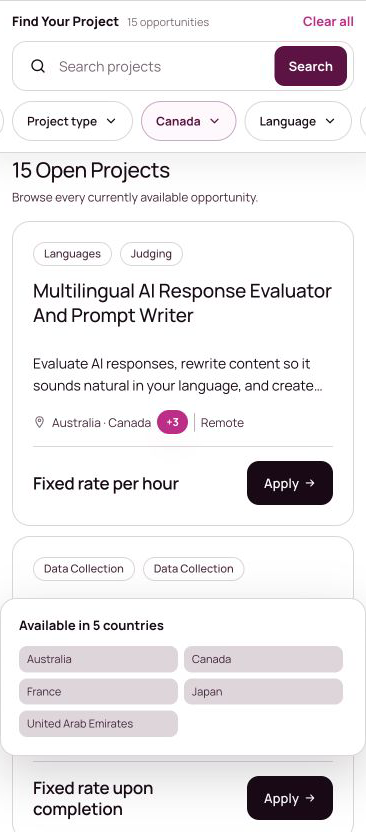
Filter projects by country
- Open Open Projects.
- Open the Country filter.
- Choose a country.
- Review the updated project count and cards below the filters.

Review the complete country list
A project card shows up to two countries. When more locations are available, activate the +number control to review the complete list.
Review the project details
Open the project title and read the requirements before deciding whether to apply. Check the listed location, language, experience, schedule, and any other qualification details. If a location appears inconsistent, use the Project Related form and ask for confirmation before applying.
Was this article helpful?
Let us know so we can improve our docs.