
How To Understand Payment Timing
Check the project-specific pay cycle, allow processing time after the cycle ends, and confirm that your payout method is Connected.
Payment timing can vary by project. Check the job details and Earnings page instead of assuming that every project uses the same date.
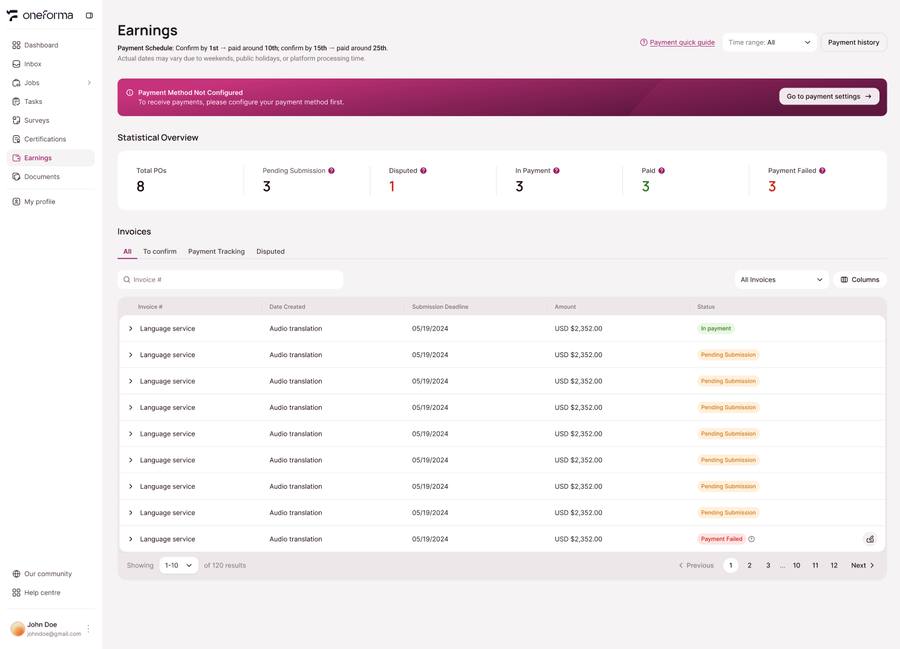
Check The Project Pay Cycle
The supplied platform guide describes weekly or bi-weekly cycles, depending on the project. The job details are the authoritative place to confirm the cycle for your work.
Allow Processing Time
Payments usually take 2–3 business days to reach the connected payout account after the applicable pay cycle ends. Provider processing and bank holidays can affect arrival time.
Confirm Your Payout Account
Open Profile → Payment Settings and make sure your selected payout method shows Connected. If it is not connected, settled earnings cannot be sent.
If Payment Has Not Arrived
- Confirm the project pay cycle has ended.
- Check that the payout method is Connected.
- Review the invoice and purchase-order status in Earnings.
- If everything is correct, contact support with the project, task, invoice, and expected payment details.