
Where to find UHRS and get help
Find UHRS in Tasks and use the Project Related form when you need help with a OneForma project that uses UHRS.
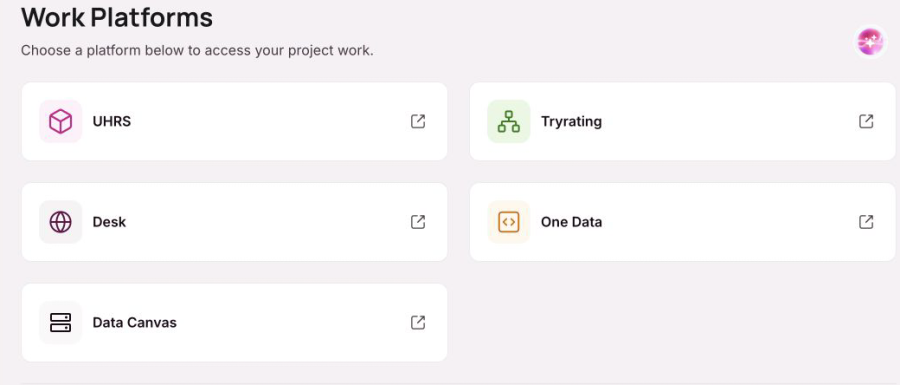
UHRS appears in the Work Platforms area of Tasks. Use it only when the instructions for an approved OneForma project direct you there.
Find UHRS
- Sign in to your OneForma account.
- Select Tasks from the main navigation.
- Find UHRS under Work Platforms.
Follow your project instructions
Open UHRS only from the OneForma route provided for your project. Follow the project guidelines for access, timing, and completed work. Do not use an unrelated account or third-party instructions.
Get help with UHRS
If UHRS does not open, your access is missing, or the project instructions are unclear, use the Project Related form. Include the OneForma project name or reference, the step where the issue occurred, and the exact error message. Do not include passwords or one-time codes.
Was this article helpful?
Let us know so we can improve our docs.