
How to contact OneForma Support
Choose the right contact form, include the details the team needs, and understand what happens after you send your message.
Choose the contact form that matches your question. A clear route and a concise message help the OneForma team understand what happened and respond with the right context.
Choose the right contact form
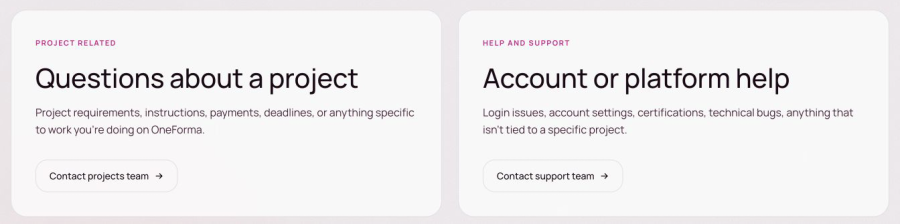
- Open the OneForma contact page.
- For a question about a specific project, select Project Related.
- For account or platform help, select Help and Support.
Complete the support form
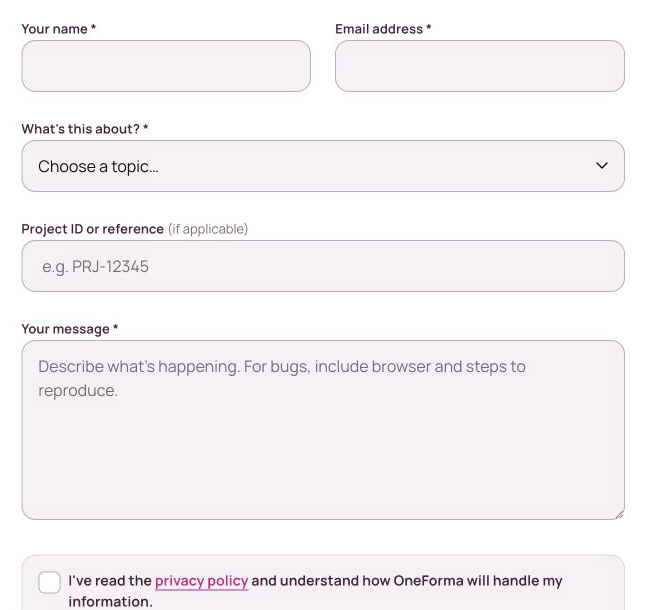
The Help and Support form asks for your name, email address, topic, an optional project reference, and a message. Under What’s this about?, choose the closest available topic:
- Login or password trouble
- Account settings or profile
- Payment account or invoicing
- Certifications or onboarding
- Bug or technical issue
- Something else
Write a useful message
Explain the issue in a few clear sentences. Include the page or project involved, what you expected, what happened instead, and any error message you saw. Never send a password, one-time code, complete identity document, or payment credential.
Send your request
Review the privacy notice, complete the anti-spam check, and select Send message. The confirmation screen tells you that the message was received. The support team aims to reply by email within three business days, although timing may vary during periods of high message volume.
If you recently sent the same topic from the same browser, OneForma may remind you that a similar request is already being reviewed. You do not need to send the same message again.