
How To Complete Your Identity Verification On OneForma
Start verification from your profile or a job pre-check, prepare valid documents, complete the identity and selfie checks, and understand the possible results.
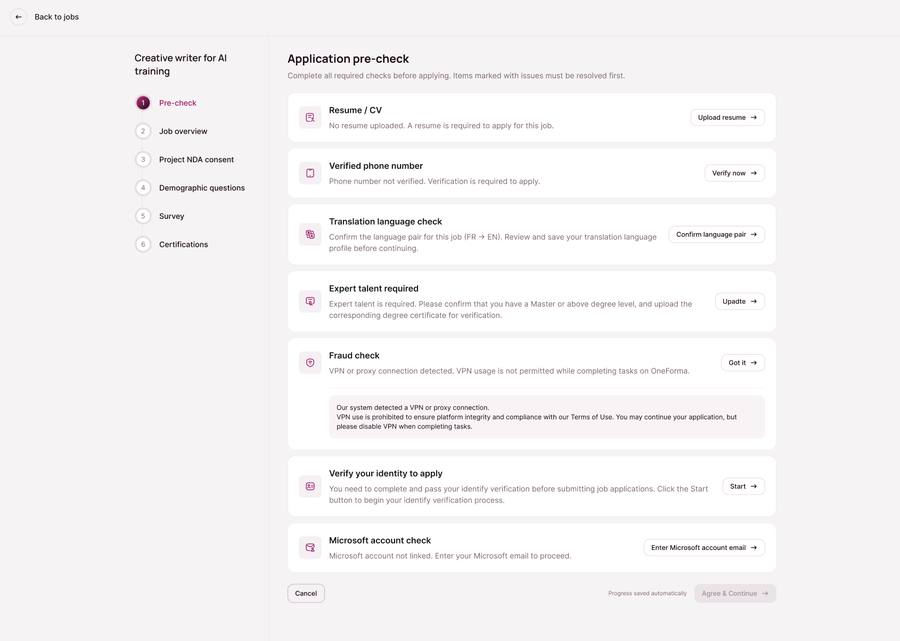
Some jobs require identity verification before you can apply. You can start from a verification prompt in your profile or from the application pre-check for a job that requires it.
Before You Start
- Use your real, current profile information.
- Prepare an accepted government-issued ID.
- Use a device with a clear camera and stable internet connection.
- Make sure the document is valid, undamaged, fully visible, and well lit.
Complete The Verification
- Select Start or Verify now when OneForma shows the verification requirement.
- Continue to the secure verification flow.
- Select the country that issued your document and choose an accepted document type.
- Photograph the requested side or sides of the original document. Retake any blurry, cropped, or reflective image.
- Complete the live selfie or liveness check by following the on-screen prompts.
- Provide proof of address if the flow requests it.
- Review the information and submit the verification.
Understand The Result
- Verified: your status updates and you can continue eligible applications.
- Pending review: wait for the review decision before continuing a job that requires verification.
- Unsuccessful: correct the document or image problem and retry if the platform offers another attempt.
Verification Validity
Successful identity verification remains valid for 18 months. After that period, OneForma may require a new verification for jobs that use this eligibility check.
If You Need Help
Use the Help Center contact form. Include your OneForma ID, registered email address, the verification status shown, and a concise description of the problem. Do not email identity documents unless an authorized support flow specifically asks you to do so.