
How To Sign In With Google
Connect a Google account to OneForma and use it as a secure sign-in method.
You can sign in to OneForma with a Google account. The first time you sign in this way, OneForma asks you to connect it to an existing account or create a new account.
Start here: Open the official OneForma sign-in page.
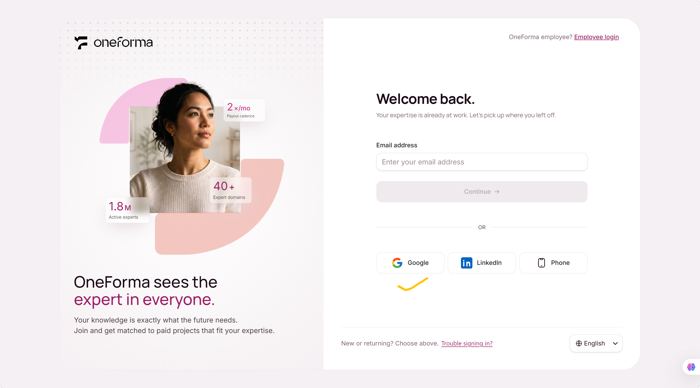
Step 1: Choose Google
Open the OneForma login page and choose “Google”.
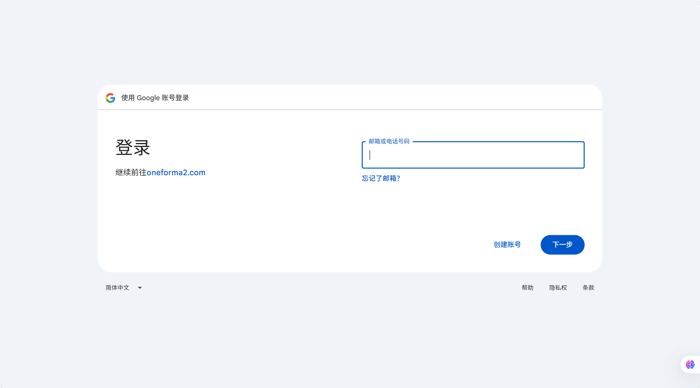
Step 2: Sign In With Google
You're redirected to Google's sign-in page and sign in with your credentials. If you're already signed in to Google in your browser, this step is skipped automatically and you go straight to Step 3.
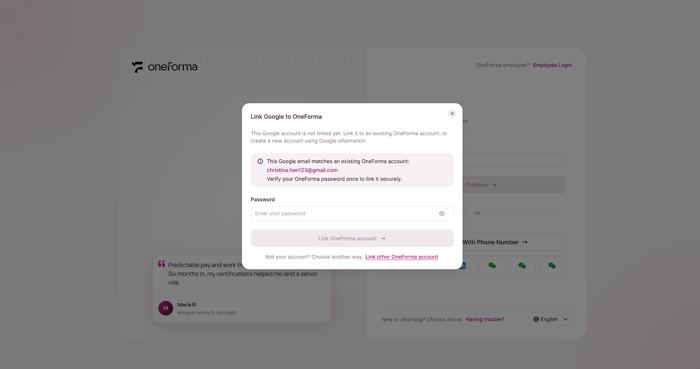
Step 3A: Connect An Existing OneForma Account
If your Google email is already registered with OneForma, verify your existing OneForma account and connect it.
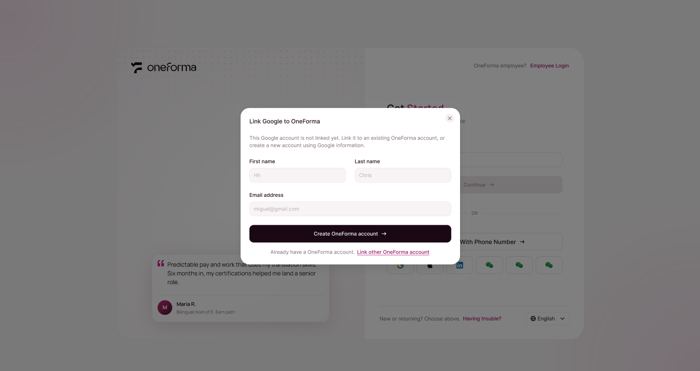
Step 3B: Create And Connect A New Account
If your Google email is not registered, enter the requested information to create a OneForma account and connect it.
Step 3C: Connect A Different Account
To use a different OneForma account, choose the option to connect another account and enter that account’s email and password.
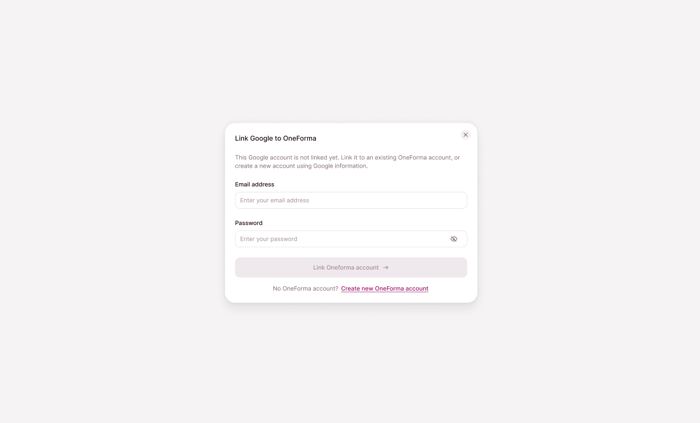
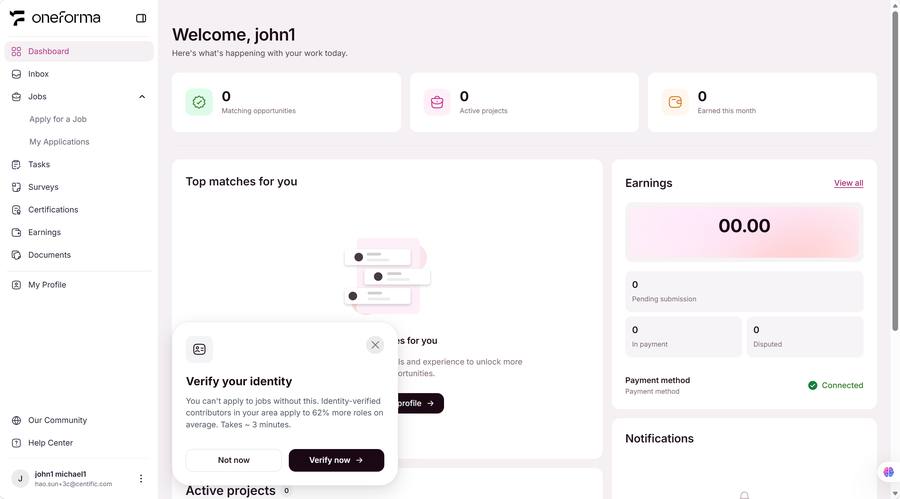
Step 4: Finish Onboarding
Once SSO binding completes, you're logged in and taken to the onboarding flow to finish setting up your account.
Frequently Asked Questions
What information does OneForma access?
Only the necessary basic info: email, nickname, and avatar. Passwords, payment info, and other private data are never accessed. All data is protected under the privacy policy.
Can I use multiple SSO accounts?
Google is currently the only sign-in provider OneForma supports, so you can bind one SSO account. Manage or remove it under Profile → Security & Privacy.
Does deactivating the third-party account affect my OneForma account?
No. Your OneForma account exists independently. You can use other login methods. To remove the SSO link, go to Profile → Security & Privacy.
How do I remove an SSO binding?
Go to Profile → Security & Privacy, find the SSO provider, and click "Unbind". You can re-bind anytime.
Can one SSO account be bound to multiple OneForma accounts?
No. One SSO account can only bind to one OneForma account. To switch the binding from account A to account B, first remove the binding to A, then re-bind to B.
Can I still log in after removing the SSO binding?
Yes. Removing the SSO binding does not affect your OneForma account. You can log in with other methods, and reset your password via password recovery if needed.