
How to review your qualification status and request another attempt
Check your qualification status, use the current filters, and contact support when you need another attempt reviewed.
Open Certifications to review the qualifications connected to your account. Search and filters help you find the relevant record before you ask for another attempt.
Open Certifications
- Sign in to your OneForma account.
- Select Certifications from the main navigation.
- Choose Qualifications for Opportunities, General Qualifications, or Private Qualifications.
Search by status
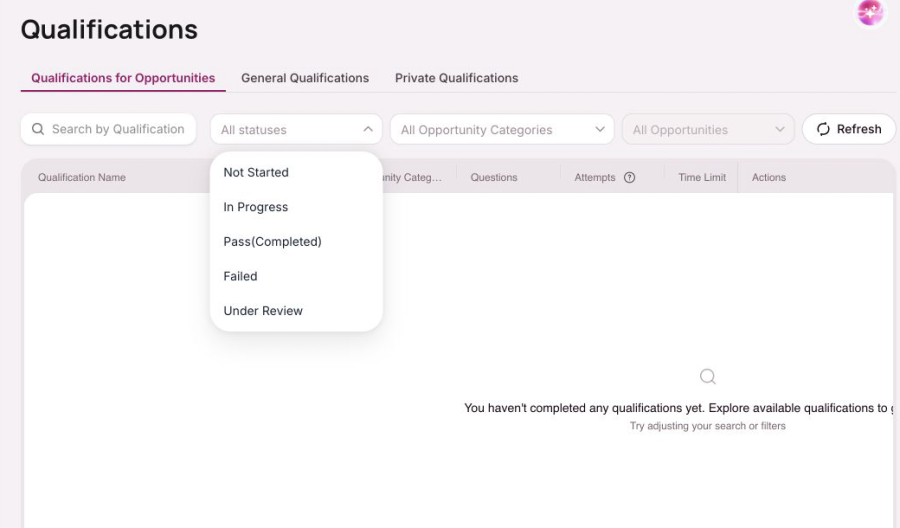
Use Search by Qualification Name to find a qualification. Open All statuses to filter by Not Started, In Progress, Pass (Completed), Failed, or Under Review.
Filter by opportunity category
Open All Opportunity Categories to narrow the view. Select Refresh when you want to reload the current qualification list.

Request another attempt
If a qualification is marked Failed and no new attempt is available, use the Help and Support form. Choose Certifications or onboarding, then include the qualification name, the status shown, the related project if applicable, and a short explanation. Another attempt is not guaranteed; the team reviews each request against the qualification and project requirements.